Showing posts with label web. Show all posts

Saturday, 20 October 2012

Pocket: Online Reading List Manager

Found this handy tool to manage my online reading: http://getpocket.com/
This is a rather neat app that allows the user to manage your online reading lists across your multiple devices: computer, phone, iPod / tablet – they have a reasonably good app for iPod, I’m yet to check out the Android version.

I’m still trying to figure out how to incorporate this into my GTD workflow, but here's what I'm thinking:
  • Link to page received (from Google Reader, Google News, or links shared by email, IM, etc.)
  • If can’t read within 2 mins, add to pocket
  • Look through Pocket list of “reading material” – read top priority
  • For items to be saved/shared: bookmark them | save with notes to Evernote | share with contacts.  Else mark as read, and be done with.
By the way, I had used the previous avatar of this tool (ReadItLater), but I'm realizing the benefit of this tool now since I started using iOS and Android.

[Update - 22 Oct 2012]
Found this nice read on Pocket: http://www.macstories.net/news/read-it-later-reborn-pocket-saves-everything-for-later/

Wednesday, 11 April 2007

Comment on an earlier post

I received a pretty strongly worded comment on one of my earlier posts titled Tale of two networks I thought it deserved the attention of another full post.

Here goes the comment by Mr Anonymous (or maybe Ms Anonymous):
Your stand about viral marketing in Tagged.com is a clear stupidity. It's still at your own discretion whether you want to send invitation to the list in your addressbook.

Haven't you wonder that it just makes easier for you to send invitation to your friends. If you think about blogging something , think twice before posting it.
Hmm... it looks like I touched someone's nerve there.

OK, Mr Anonymous, please look at another post of mine - First Gazzag, now Tagged & Facebox. Now you say it is at the user's discretion whether to send invitation to the list in his/her addressbook. Then please explain to me how to avoid the screen that I've listed in Step 3 which not only asked me for my hotmail password, but also refused to allow me to go ahead unless I typed the password in. It takes quite a bit of ingenuity to bypass this step - something that the average hotmail/yahoo user would not be able to do - therefore it is no longer at the user's discretion as to whom to invite.

Your last question was if it doesn't just makes easier for me to send invitation to my friends? No, it does not. It just adds to the spam in my friends' mailboxes. And I detest spam, especially if it goes out in my name without my explicit intention.

Wednesday, 21 March 2007

Scarcity & Spam

Question: How does a real-estate broker attempt to speed up the pace at which he could close a deal?
Answer: He creates a perceived scarcity in the mind of the buyer. As soon as he has explained the nuts and bolts of the deal, you can be sure the first thing he's going to say is "I've got two other buyers who're looking to lease this place." That the demand is perceived to be greater than supply will automatically make the buyer willing to pay a higher price. Of course, knowing about this little gimmick of real-estate brokers doesn't help much - we are not 100% rational.. we somehow can't seem to account for this gimmick.

Real-estate is an essential, going by the roti-kapda-makan philosophy. Others may have lists longer than that - you could count education, telephone connections, maybe even Internet connections. But why would anyone consider orkut accounts as an essential? Well, let's take a look at this e-mail I received:
from: (name hidden)reply-to (email hidden)
to my friends
date 20-Mar-2007 23:05
subject Message from Orkut
mailed-by orkut.bounces.google.com

HEY ITS DIANNA, FROM THE DIRECTOR OF ORKUT,EVERYBODY SORRY FOR THEINTERRUPTION BUT ORKUT IS CLOSING THE SYSTEM DOWN BECAUSE TOO MANYBOTTERS ARE TAKING UP ALL THE NAMES, WE ONLY HAVE 57 NAMES LEFT, IF YOUWOULD LIKE TO CLOSE YOUR ACCOUNT, DONT SEND THIS MESSAGE, IF YOU WANT TO KEEP YOUR ACCOUNT ,SEND THIS MESSAGE TO EVERYONE ON YOUR LIST. THIS IS NOT A JOKE, YOU'LL BE SORRY IF YOU DONT SEND IT. THANKS DIRECTOR OF ORKUT, TIM BUISKI. WHOEVER DOESNT SEND THIS MESSAGE, YOUR ACCOUNT WILL BE DEACTIVATED AND IT WILL COST YOU $ 10.00 A MONTH TO USE IT.
This message was sent to you by xxxx. To see xxxx's profile click:http://www.orkut.com/Profile.aspx?uid=xxxxx

For a moment, let's forget that this is a hoax. Let's also forget that Tim Buiski has been "the director" of bebo.com, yahoo.com and msn, before taking over as director of orkut ;-)

Now, the underlying principle of this hoax was scarcity. The email speaks of something that is running out, and the reader somehow is able to connect with that. But why wouldn't this sender consider whether or not the item being spoken of is an essential or not. It doesn't really matter if my orkut account expires - it doesn't really affect me. And I can hazard a guess that most of my friends don't treat their orkut account as an essential.

So, question for the day: why do hoaxes thrive? And why do they thrive as much on the Internet?

If you have any pointers, please leave a comment. I shall try to collate them and write down my own thoughts in a future post.

Thursday, 15 March 2007

Tale of two networks

I think I'm getting slightly obsessed with this topic of web-based social networks, so I solemnly swear this'll be my last post on this subject. For a while, in any case :)

Some people believe that it takes a maximum of six people to link up any two people in the world. This is a familiar theory called the six degrees of separation. Mathematically, this makes sense. Let's say every person on earth knows 500 people. I don't think 500 is too high a number - I have 472 people on my orkut list, which include seven people I haven't ever met (they could be fake for all I know), but I think I know more people who don't have an orkut account. The 500 number means that through six other people, I could theoretically form links with 500^5 = 31250000000000, which is definitely greater than the population of the earth. Yes, there might be repeats, but there's a good chance I could cover everyone. At least that's what the theory says. But here's where I disagree -- there might be some clusters of people which are so remotely connected from the rest of the world, that they might not have a link. This is especially true with tribes that have been untouched by other civilised humans.. so it's difficult for me to believe in the Six Degrees theory outright. Nevertheless, if you keep increasing the degrees - from six to eight to maybe 15 - you are bound to connect most humans on the planet. For me, the more interesting fact about the "Six Degree of Separation" theory isn't in the number six but that most of us are connected to each other, most of us know each other. At least indirectly.

Let's draw a parallel to this in the Internet space - quite arbit, but please bear with me. Let's say that email addresses are the equivalent of humans. Well, they are born, they live and then they die. And while they're living, they contact other email addresses. How many degrees separate any two email addresses in the world? Maybe six, maybe more, maybe infinite (you do have closed loop intranets where all email addresses are internal to the network - pretty much like the tribes that have been left in isolation). If I assume the equivalent of knowing another person is an email sent from on email address to another, how many degrees would separate any two email addresses on the Internet?

Here's what I'm getting at. There are two networks - one of humans and one of email addresses. These two networks are separate, they are distinct, and they should not be confused for each other. If I am serious about Web 2.0 in any form, I have to draw a distinction between Internet users and the means they adopt to communicate on the Internet.

What orkut & yahoo! 360 and Linked in have done is to differentiate between the two networks. On Linked in, you don't invite an email address to hook up with you, you invite a person to join your circle. Even on orkut, if I ignore the malicious bots created by crackers (crackers, not hackers), it is people that I am connecting with. When the programmers behind this system forgets that he's trying to connect people and not email addresses, you end up getting a system like tagged.com. The website starts trying to find more and more email addresses to send spam invitations to in the vain hope that viral marketing will work. Well, sir, it doesn't. If gazzag.com were to get hold of my addressbook and sent invitation to everyone on it, they'd send invites to email addresses like that of the placement office at ISB. They won't be inviting the people working in the placement office, but the placement office itself - now what kind of a social network is that?

Lesson for running a web 2.0 site that bases its growth on viral marketing - let the users decide whom to invite and whom not to. That would be social; cracking through users' addressbook is not.

Monday, 12 March 2007

First Gazzag, now Tagged & Facebox

The site www.tagged.com is a new social networking site. I haven't been tracking on its popularity, but the site claims to be the fastest growing teen social community on the Internet. From the corporate information available on the site,
Tagged.com is the premier social networking destination for the Millennial Generation and an ideal place for advertisers who are trying to reach the teen market.
OK, so that tells me (and my friends) to stay away from the site.. we've not been teen-agers for quite some time now. But there are bigger problems with this site than that.

A few months back, I had written the articles de-gazzaging my inbox and more on gazzag about a popular web nuisance that called itself Gazzag. I think tagged.com is just another example of such Internet annoyances. Let's walk through tagged.com's registration process to see why:

Step 1
OK, here's the website. It does look a whole lot uglier on Internet Explorer with some nasty banner advertisements. Anyway, let's create a new account on this.

Step 2
Yep, filled in my details. But take a look at something that I've done - I specified my date of birth as the 31st of February, 1978. Not only did the website allow the non-existent date, it didn't reject me because even though I am not a teenager. I'm wondering what happened to their tagline of being a teen social community.

Step 3

Whoa! Give me a minute.. why does Tagged.com want my hotmail password?!? Yep, one reason only - to get my addressbook, so that it can spam all of my friends with invitations to Tagged.com. Another example of viral marketing in which the existing users don't get a say in who gets contacted. What's more, there doesn't seem to be a straightforward way to get around this screen. I guess the naïve user would not look to bypass this screen and simply provide their hotmail password. While I didn't check if the tagged.com guys have devised mechanism to import contacts from yahoo and gmail, I won't be surprised if they have.

The same problem exists on the website facebox.com, another social networking site. When you register on this, there does not appear to be any way to create your account without importing contacts from your e-mail address books.


But if you click on the "by email address" option, you'd get the option to bypass this step:

Nasty, isn't it?

Let me re-iterate what I had written earlier about gazzag and other sites that ask for e-mail passwords:
... The tool that allows one to import contacts from yahoomail & orkut requires one to enter the username and password of those sites. And a lot of my friends, including a few tech savvy ones, have done exactly that. My question is why??

Would you trust me with your yahoomail password? I think not, I hope not. Then why would one trust gazzag or any other site asking for your yahoomail password? ...
Tagged & facebox are just a few more site that are trapping users into sharing their addressbooks. But the point is that it could get worse.. what if someone in Tagged.com's office is reading your e-mail? Their privacy policy will probably mention that they won't - but how do you know they're going to stand by that? Anyways, the next time a site asks you for your hotmail/gmail password, please think about if you'd like to share your password with me.

If you've sent me a tagged or a facebox or a gazzag invitation recently, I hope you'll understand why I've not responded.

Saturday, 24 February 2007

Using awk to parse HTML

Sorry for disappearing away like that… we had lots of stuff happening on campus (read our placements). And between tracking job posts and interview preps and and the interviews themselves, my blog was the last item on my priority list. Anyways, now that placements are done (and successfully for me), let me get back to the second post about working with data from the web.

The objective
One thing I did not make clear in the last post was the objective of our exercise. What we were trying to build was a model that could suggest the price for a user if (s)he decides to put up a car for sale. The model would be based on how people are currently pricing their used cars.

So, in order to build a model, we needed to work up some data from www.autoindia.com, as we did the last time. The next step is to convert all of that data in the 17,000 html files into a single spreadsheet. Each listed car on the website should have its details on a separate record in the spreadsheet.

In this post, let's explore how to do this using awk.

A simple sample HTML
Let’s take a look at the listing http://autoindia.com/UsedVehicle/buy-used-car130625.html. The webpage looks like this


In order to build our spreadsheet, we need all the data such as the year of manufacturing, the make of the car, the model and the style. Let’s take a look at the html source code.


For most of the variables that we’re interested in, there are specific identifiers that have been written in the html, like lblYear, lblMake and so on.

Given all such identifiers, it becomes a simple programming task to list out all the lines that match these identifiers, get rid of the tags, and bingo! we’ll have all the information that we need.

Let’s try out a simple awk script to see how we can do this.

The first awk script
I’m not going to delve into the details of how awk works. You can find out more detail on the GNU awk guide at http://www.gnu.org/software/gawk/manual/gawk.html Yep, GNU’s implementation of awk is known as gawk. Though I have used gawk for all of the examples, I’ve interchangeably used the names awk and gawk. The name’s inconsequential, the result is the same.

Back to our job in hand, we’re interested in specifying a pattern and printing out the details of the lines that these patterns match.
/lblYear/ ||
/lblMake/ ||
/lblModel/ ||
/lblStyle/ {
print $0;
}
In the above snippet, we’re telling awk to print the entire line (represented by the $0) if it matches any of the regular expressions listed between the two forward slashes.

If we save the above snippet into a file named “split.awk” and run the following command
C:\> gawk –f split.awk buy-used-car130625.html
We get the following output:
2002
Hyundai
Santro
1.1 GS Zip Drive
Eliminating the span tags
Let’s look at the above information closely – if we can eliminate the stuff between and including the angle brackets, we’d be left with exactly the information that we need. Let’s modify the awk script we wrote earlier.


The two gsub commands are global search and replace commands. They will look for the regular expression (specified as the first argument) and replace it with the substitution string ( the second argument -- in this case, a blank) in the text that is specified as the third argument). Now that we’ve wrapped that up in a neat function, let’s look at the output that this gives us
C:\> gawk –f split.awk buy-used-car130625.html
2002
Hyundai
Santro
1.1 GS Zip Drive

In a spreadsheet, please!!
The last teeny-weeny bit of stuff that we need to do is to plug the above into a single line, preferably in a comma-separated or tab-delimited format, so that it can open up in a spreadsheet program like MS Excel.

We can use a simple trick. Each time the pattern is found, instead of printing the output after stripping off the
tags, we can concatenate that output to a string, that can be printed off later using the END code block of awk.

Here we go…


And the corresponding output
C:\> gawk –f split.awk buy-used-car130625.html
2002 Hyundai Santro 1.1 GS Zip Drive
If I decide to redirect this into a file using the > operator of DOS,
C:\> gawk –f split.awk buy-used-car130625.html > file.txt
I can open file.txt using MS Excel (by using the tab-delimited option) to get something like this:


Expanding the above
The last bit that remains is to run the above technique across all the HTML files that we’ve generated. This can be done by writing a single batch script in DOS with the awk command that we’ve used for all the 17000 HTML files that we’ve downloaded

Of course, since we needed more information than the simple example that we’ve seen above, our split.awk script ran into many more lines. There were some fields that we handled using associative arrays

Our final code looked like this:

And our output in a spreadsheet:


Downloading awk
If you’re going to use awk for the first time, I’d recommend you try it on a linux or Unix machine. There are a whole lot of other tools that gel well with awk, using the pipe mechanism that Unix scripts provide. Plus, I’ve still not been able to write simple awk scripts that can be written on the windows command line. Even simple stuff like
C:\> awk ‘BEGIN{ print “hello world”; }’
fails miserably. Probably the quotes or something – haven’t been able to figure it out.

Nevertheless, if you do need to use awk on Windows, then awk comes as part of an entire Unix toolkit available at http://www.delorie.com/gnu/ Try the zip picker – it should give you the entire stuff – awk, sed, the whole nine yards.

Alternately, you could try using cygwin. Runs a bit slower as it uses something called a Unix emulation layer. But it's the closest replication of a Unix environment on Windows that I've seen, and is packed with all the unix tools that one can imagine.

Additional reading
  1. The GNU Awk User’s Guide - http://www.gnu.org/software/gawk/manual/gawk.html
  2. Unix classic tools - Awk Programming - http://www.softpanorama.org/Tools/awk.shtml
  3. Awk man pages for Linux - http://www.die.net/doc/linux/man/man1/awk.1.html

Other Comments

In response to my previous post, Punit had asked me why I didn’t use RSS and an XML parser - here's why:
  1. It didn't look like autoindia.com has been refreshing it's RSS feed (I wasn't able to subscribe to it) and the XML file that's on the server contains some very old data from 2005, and about 15 records from 2007 - it was insufficient for us.
  2. RSS is typically used to only publish the latest n items that the site has listed. n could be 15, 100, or 1000, depending on the webmaster. If you want all the data that a site has, like we wanted, you'd be extremely lucky to get that off RSS. In our case, even if the RSS feed has been refreshed regularly, we would have needed to monitor it over a long period of time (probably a year) to build a sufficiently large data set.
  3. Depending on how the webmaster has configured the XML, the description may not contain all the fields that one is looking for. In our case, we wanted everything - from the price of the car to the location to whether it has power steering. The site's webmaster didn't publish all of that. So, RSS was clearly out.
awk was useful for us in this exercise because of the way html is structured. Had the html been a little more complicated, I’d probably have had to use perl and an HTML parser module off CPAN. In the end, using awk has to be a conscious judgement decision – it can give you results quickly, but you need to be careful – it can be quite painful to debug. And if you’re the kind of person who doesn’t believe in documenting code, you’ll end up having loads of fun :-)
    Our project
    What I've described above was just the initial part of our project, where we gathered the data from the web. We went on to build a price-prediction model that turned out to be relatively successful. We had an error in the range of 10,000 rupees for the top 37% data, I guess that was fairly acceptable. Anyways, the report has now been submitted.. let’s wait for the grades.

    Thursday, 8 February 2007

    Crawling web data using "wget"

    This is the first of a two-part post in which I discuss tools that we used for our project in our Business Intelligence using Data Mining course. During this project, we were to work on some real-world data to come up with some intelligent analysis using the tools we learned during the course.

    Let's take a look at the website www.autoindia.com. If you try to search for all cars that are for sale, you'd reach http://autoindia.com/BuyUsedVehicle/BikeCarListings.aspx. If you click on any vehicle that is listed there, the site lists each individual vehicle in a separate webpage that looks like


    Let’s take a look at the URL - http://autoindia.com/UsedVehicle/buy-used-car17262.html If you change the trailing number (17262) to some other number, the site would take you to a different vehicle that they’re listing. For our project, we wanted to download the html files for all the cars listed on the site – we’re talking about 17,000 files here. If you find yourself in a similar situation, chances are you would not want to save each page manually – even if you can save 15 pages a minute, it’d take you 18 hours to save 17000 web pages. Whew!

    wget provides a smarter solution. From wget’s website,

    GNU Wget is a free software package for retrieving files using HTTP, HTTPS and FTP, the most widely-used Internet protocols. It is a non-interactive commandline tool, so it may easily be called from scripts, cron jobs, terminals without X-Windows support, etc.

    In a nutshell, it means you can open a command window, and type something like

    C:\> wget http://autoindia.com/UsedVehicle/buy-used-car17262.html

    and hit enter. And wget will download that html file for you.

    Now our job has become a little simpler. We can take any spreadsheet software, have it generate the numbers 1 through 17262. Use a simple search and replace to add the leading string “wget http://autoindia.com/UsedVehicle/buy-used-car” and the trailing “.html” to the generated number. Save that into a text file. Copy the entire file into a command window, and then go and have a cup of black tea. Do make sure you add a dash of lemon. Depending on your network connection speed, you’d have downloaded all the 17000 files by the time you finish your tea.

    Now that we have 17000 files with us, these are still in html. We now need to convert the data in html to something in a spreadsheet, so that the data for a given car lies on a single row. I’ll discuss how to do exactly that using awk in my next post.

    Sunday, 31 December 2006

    Very Funny Ads

    Check this site out: http://veryfunnyads.com/

    gmail search tip

    Gobbledygook version
    gmail indexes whole words separated by whitespaces, not partial subsets of text.

    In plain english
    When searching for different word forms, such as publish and publication in gmail, it's necessary to search for both words separately. Searching for publi is not going to fetch any results :-(

    Wednesday, 25 October 2006

    More on Gazzag

    I dug a bit deeper into the Gazzag thing after my last post. I created a dummy Gazzag account to see what's on the site, and here's what I observed:
    1. The sign-up process does not need an invitation. Anyone can join in, without any restrictions. The sign-up process does not even have a CAPTCHA system to trap bots. So one can expect a larger number of bot-generated fake profiles on this site.
    2. There are tools to automatically import contacts from orkut, yahoomail, Multiply, MSN Messenger, Outlook & Outlook Express. Imagine if you import your Outlook contacts at your workplace and your CEO receives a Gazzag invitation from you. That'd be fun, eh?
    3. There are ads all over the place - a combination of graphics, Google-generated text-ads, and those irritating pop-ups (I deliberately used Internet Explorer to see what the majority Internet users' experience would be like). Of course, Firefox & adblock would be able to clean most of this in a jiffy.
    4. Take a look at the profile information it asks - one of the fields is "Children in the future". Hmm..
    5. One of the features that Gazzag is trying to market big-time is the live chat - one can chat with anyone who's logged on to the website. Either that's really useful, or really irritating.
    6. Gazzag Dating - this is a site within Gazzag, name explains all.
    7. I couldn't find a link where I could delete my account -- not true anymore. Please see update below.
    On the whole, the site seems extremely nasty, and intrusive - definitely a lot more intrusive than orkut.

    Now, a slightly tangential line of thought. The tool that allows one to import contacts from yahoomail & orkut requires one to enter the username and password of those sites. And a lot of my friends, including a few tech savvy ones, have done exactly that. My question is why??

    Would you trust me with your yahoomail password? I think not, I hope not. Then why would one trust gazzag or any other site asking for your yahoomail password? There have been a whole range of sites that have been asking for yahoo & gmail passwords:
    1. Meebo asks for your AIM, ICQ, Yahoo! Messenger, GTalk, Jabber and MSN Messenger passwords
    2. Multiply asks for Hotmail, orkut, gmail, livejournal passwords (maybe a few more)
    3. Plaxo asks for your gmail password.
    I'm sure there are tons more that can be added to this list.

    All in all, I am a bit flummoxed as to why one would want to share passwords on a new service, just for a little convenience. Sites like orkut & gmail allow one to export their contacts' list into a CSV file. One could use that to add contacts manually on gazzag or multiply or whatever service they want to use. Though this needs a bit more effort, I think this is a much safer approach to importing contacts.

    -----------------------------------------------------------------------------
    Update [26 Oct 2006]

    After Venkat's comment, I dug some more if Gazzag accounts could be deleted. And yes, I did find these instructions:
    1. Select the "Welcome" option in the main menu.
    2. Select the "Account Settings" option in the submenu.
    3. Select the "Terminate Account" option.
    I found these instructions on http://www.gazzag.com/help/en_US/myaccount.jsp#10. Look for the question on how to delete one's profile.

    de-gazzagging my inbox

    I've got tons of emails in my inbox asking me to join this site called Gazzag. There are tons more that I've deleted. And what's worse, the number of invites I've been getting per day is going up.

    Gazzag seems to have taken cue from gmail's Viral Marketing [http://en.wikipedia.org/wiki/Viral_marketing] to popularise its social-networking service. What they've done differently from google is that they've automated the invitation process - that is a trifle irritating. In fact, some new users don't even realise that they've exposed their addressbook to this website which sends out invites to all their contacts.

    Thankfully, gmail filters are here to my rescue. Gazzag, your invitation emails are being summarily trashed.

    Friday, 1 September 2006

    Trashmail

    Trashmail is a remailer service that I've been using for some time. Pretty handy when one's filling up one of those anonymous surveys on the Internet. It's also available as a firefox extension.

    This post has been inspired by the increasing number online surveys that ISBians are being requested to participate in.

    Friday, 24 March 2006

    Greasemonkey scripts for Orkut users

    I found some orkut-specific Greasemonkey scripts today. I've only tried two scripts so far - the Scrapbook & Album viewer and the My Scrabook Link

    gyaan: greasemonkey is an extension for the firefox browser that allows one to modify the behaviour of websites. For instance, by using this script, here's how my visit to dilbert.com looks:

    that's right - no pesky ads!


    You can find more nifty scripts at www.userscripts.org

    Wednesday, 22 March 2006

    Lightning 0.1 Released

    Lightning 0.1 Released - MozillaZine Talkback

    There's been some activity on the calendar front in Mozilla. Hope this project turns out to be better than the existing calendar or sunbird extensions.

    Update
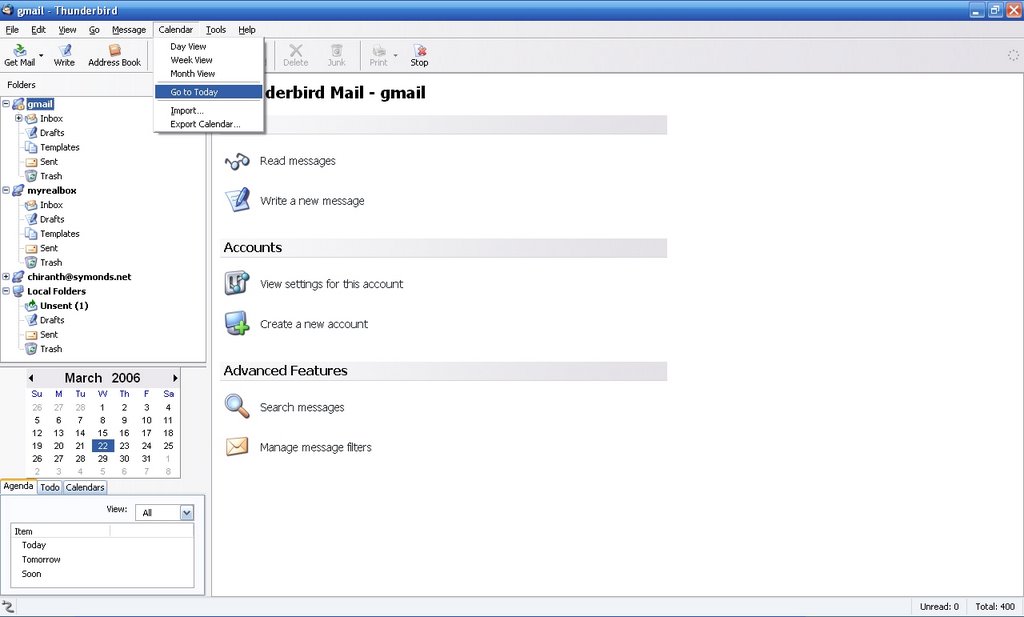
    I got back home and downloaded Lightning. The installation was quick and painless.. my first view is that it looks pretty much like the old calendar, only tightly integrated with thunderbird.

    Anyway, there is something that did catch my attention. The lightning app takes away a good chunk of my folder list's real-estate; and there's no way to disable it without uninstalling it.

    For a person with an extremely long folder list, this is a bit of a problem. Hopefully, the next releases would have an option to turn off the calendar, or put it away in the background.

    Sunday, 5 March 2006

    Online puzzles

    I'd posted something about a game called Paheli earlier. Well the link for that has changed - thanks to a lack of bandwidth - and the game can now be found here.

    BTW, I still have not finished Paheli.. stuck on level 23 with a clue showing a picture of a city and a picture of gold buiscuits. Let's see where that goes.

    During the time I didn't find the alternate link for Paheli, I found another game by the IIM-Indore blokes called klueLESS. Yes, there is a blog to discuss hints. I've completed this game, all 30 levels of it. I did receive a congratulatory note from the folks behind it. They've acknowledged over 800 people for completing the game - and there are more un-acknowledged ones out there.

    Apparently, both games have taken the idea from notpron, which is claims itself to be the hardest riddle on the Internet, something that only 96 people have cracked completely. Well, here's my take. It may be difficult all right. But the reason why only a few people can crack it is that it's got over a 100 levels. Even if one is smart enough to get over the difficulty, one might not have the time to solve as many levels.

    Saturday, 25 February 2006

    Google Page Creator

    Google has introduced a Page Creator for publishing web pages online.

    Keeping up the tradition of gmail, the interface of this tool seems slick and user friendly. Apparently, this is still in beta (why am I even saying this?)

    Anyway, check it out at http://pages.google.com

    Wednesday, 8 February 2006

    Google Talk now on Gmail

    Google has modified the gmail interface so that GoogleTalk can now be integrated with it. More information available at http://mail.google.com/mail/help/chat.html

    Is this a good thing? Yes, certainly. The reasons that Google lists are all fairly accurate. Yet, Google ought to provide the option of disabling this feature. The reasons are the constituents of the remainder of this post.

    The biggest advantage of email (and regular snail-mail) over other forms of communication is that the recipient chooses when they should read it. I can see an email header and say, "Oh, it's that bloke again! I'll look at this when I have time on my hands." Now, instant messengers don't give you that kind of freedom. Once you've received a message, it might be considered rude if you don't reply back. Sure, you could set a busy icon. But it does not prevent those pestering windows from popping up when you least want them. At last count, I had a dozen friends on my GoogleTalk list. In the future, I may have loads more. I can't be certain that all of them would respect the meaning of a busy icon.

    I do not have any instant messenger program installed on my system at work purely for this reason. I remember hearing a story a few days back of a few office workers who'd gathered around a bloke's desk to discuss work, and POP! comes up a message window with some cupid-inspired emoticons. Pretty embarrassing, huh? Imagine the same thing happening simply because you'd logged into your email.

    I, for one, would disable this feature on my gmail interface if I had the chance. Else, I'd just stop accessing gmail at work.


    Update:
    It appears that the chat feature can be turned off. Please see http://mail.google.com/support/bin/answer.py?answer=33807&topic=8405
    I guess the Google guys have their heart in the right place :)

    Monday, 5 December 2005

    htp

    I used to have a website (actually I still do) at http://symonds.net/~chiranth/ But to maintain this thing was really not worth the effort. I tried out this tool called htp over the weekend, and I really seem to like it. Perhaps it might make the web publishing job a whole lot simpler.

    I don't have much against html, but writing html for more than one page is quite boring. And if one needs to update it over time, it's really quite irritating.

    Anyway, let's see how inclined I am to put something up again.

    Thursday, 1 December 2005

    Mah Jong

    I've been hooked on to a game called Mah Jong for the last week or so. Have been playing it on the Excite website. Site needs javascript and flash.

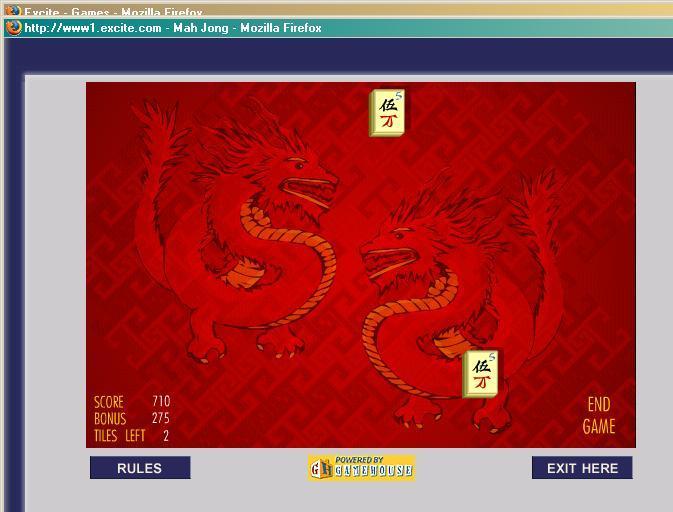
    Here's how one plays it. You've got a bunch of tiles that are arranged in semi-pyramidal structure. The idea is to remove two tiles at a time, as long as they have the same face (they should represent the same figure, or should have the same theme, e.g. seasons or flowers). The catch is that you're allowed to remove only the tiles located edges -- it doesn't matter if the two tiles that you remove are in different layers. The objective is to be able to remove all tiles from the board.

    And it took me a week to win my first game, and here's the screenshot before the last move. I think my score was around 900, too bad Excite refreshed the window a bit too fast when I'd finished.